Holodeck 9 – VCF Storage Shootout with HCIBench
Running a nested test lab is fantastic for convenience and cost savings. The down side is that performance tends to suffer.
With VCF Holodeck we have a couple of storage options, and in this post I plan to compare benchmarks.
These numbers will not be good, but I’m aiming to determine which is the least shitty option to squeeze the most out of a nested environment – time is money!
For those unfamiliar, HCIBench is the recommended benchmarking platform for vSAN environments. It’s an automation platform that will deploy worker-vms to hammer the storage, collect metrics and produce benchmark reports.
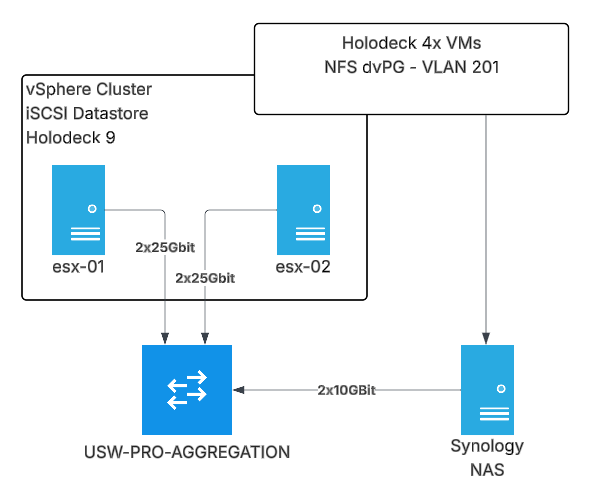
First up, here’s what the Gibson looks like for this test plan.
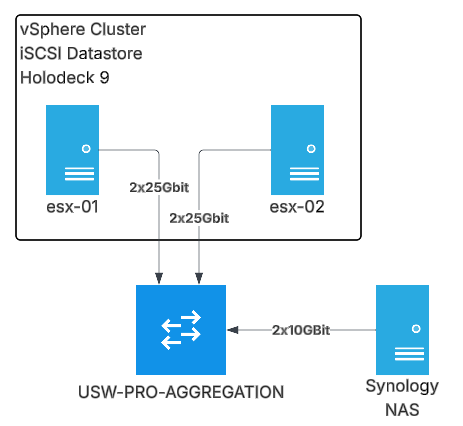
Holodeck is deployed in the vSphere Cluster onto an iSCSI VMFS datastore made up of 7x Micron 3.84TB Enterprise SSDs in SHR (Synology Hybrid Raid – fancy term for RAID5 which allows mixed disk sizes)
First up – vSAN OSA
I’ve deployed a clean Holodeck 4x host Management Domain, everything has been kept as default.
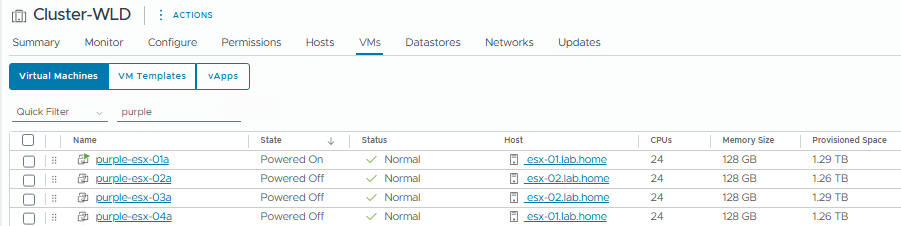
Here’s what it looks like at the physical layer – 4x Virtual ESXi Machines, 2 on each physical ESX host, 24vCPU / 128GB each.
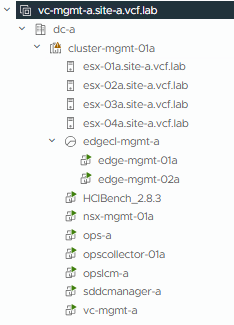
And here’s what it looks like inside the nested environment. We just have the standard collection of VMs that get deployed with VCF, minus Automation.
Holodeck Configuration
I’ve deployed the HCIBench controller VM and configured as below. We need to keep consistent settings between the benchmarking runs to ensure a like for like comparison.
“Easy Run” mode is designed for vSAN, and we’ll pick the 4k Block Size, 70% Read and 100% Random workload profile.
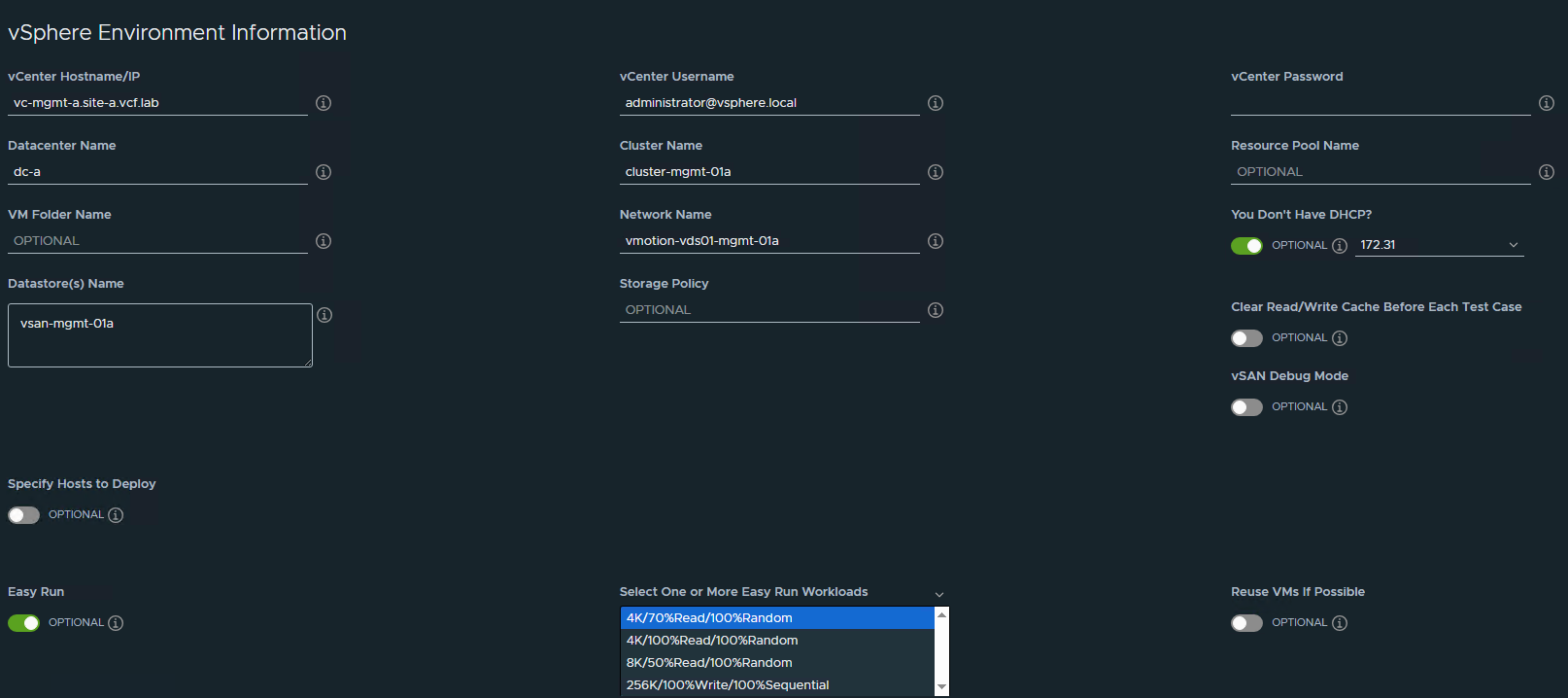
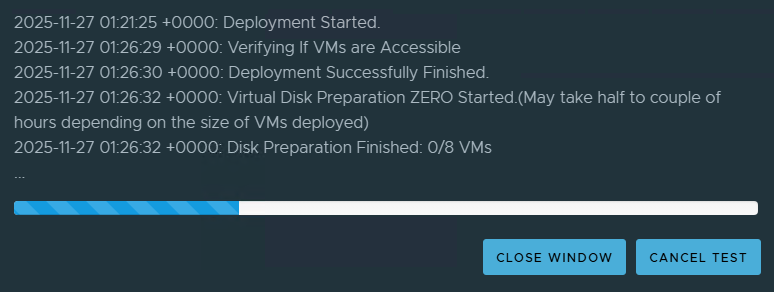
After you have configured HCIBench, you can save the config and run a validation to ensure all is good. Now we can begin – when we click “Start Test” HCIBench will deploy the worker VMs, test the network connectivity and start pounding the datastore. We’ll get a fancy graph dashboard showing the status while this test is running.
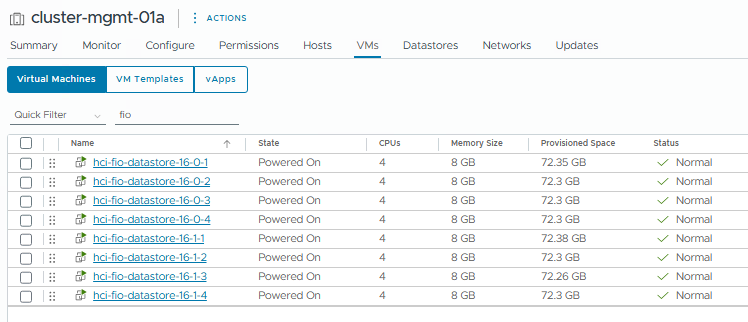
Worker VMs – Easy Run has deployed 8 VMs total, 2 per host.
VM Spec – 4 vCPU / 8GB / 8x2GB Worker Disks
We’ll get given a link to monitor the stats live:

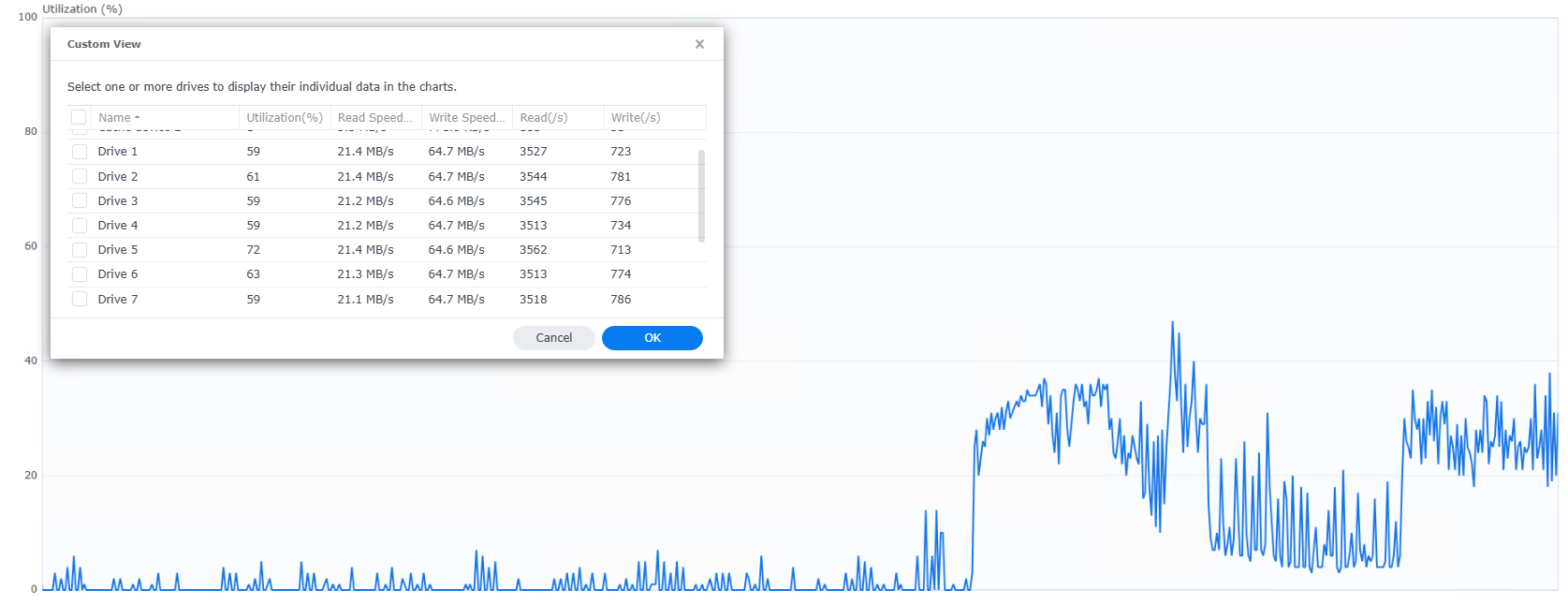
And we can see the NAS is getting a workout:
Once the test completes, I’ll repeat the process on a clean vSAN ESA deployment, as well as an NFS deployment.
ESA will have a very similar infrastructure, but the NFS setup is a little different. We have a dedicated port group for the NFS vmk interfaces on VLAN201, which has direct access to the NFS share on the Synology without going via the Holorouter – this ensures there should be no network bottleneck for the NFS traffic.
Enough chat, here’s the results!
| Test Case | Max IOPS | Throughput (MB/s) | Read Latency (ms) | Write Latency (ms) | 95th Percentile Read Latency (ms) | 95th Percentile Write Latency (ms) | CPU Usage % | CPU Utilization % | Mem Usage % |
| vSAN OSA Run 1 | 19,461 | 76 | 4.71 | 33.69 | 15 | 106 | 28.88 | 31.03 | 38.84 |
| vSAN OSA Run 2 | 18,196 | 71 | 5.12 | 35.23 | 16 | 105 | 27.88 | 29.99 | 41.45 |
| vSAN ESA Run 1 | 23,528 | 91 | 6.88 | 20.38 | 15 | 34 | 37.39 | 40.46 | 51.22 |
| vSAN ESA Run 2 | 23,979 | 93 | 6.83 | 19.81 | 15 | 33 | 37.66 | 40.7 | 53.93 |
| NFS Run 1 | 55,729 | 217 | 4.85 | 3.98 | 9 | 6 | 24.73 | 26.35 | 35.07 |
| NFS Run 2 | 53,699 | 209 | 5.02 | 4.16 | 9 | 7 | 24.61 | 26.22 | 35.21 |
Averages
| Test Case | Average IOPS | % Increase over OSA Baseline | Average Throughput (MB/s) | % Increase over OSA Baseline |
| vSAN OSA | 18,828 | – | 73.5 | – |
| vSAN ESA | 23,753 | 26% | 92 | 25% |
| NFS | 54,714 | 191% | 213 | 190% |
NFS has the best results here, but this isn’t surprising as the RAID calculations are done entirely on the storage array.
vSAN is doing it’s own RAID on top of the Synology RAID so that has a performance hit from the write amplification, and extra CPU cycles to run the vSAN layer.
But the results are pretty clear here – vSAN ESA should have about a 25-26% storage performance improvement over OSA in your Holodeck environment, at the expense of a bit more CPU Utilization.
A custom Holodeck deploy using NFS might be a better option if you are trying to squeeze as much performance as possible.